
Brute-Force Logins, Spam Floods, and Break-Ins on wp-admin?
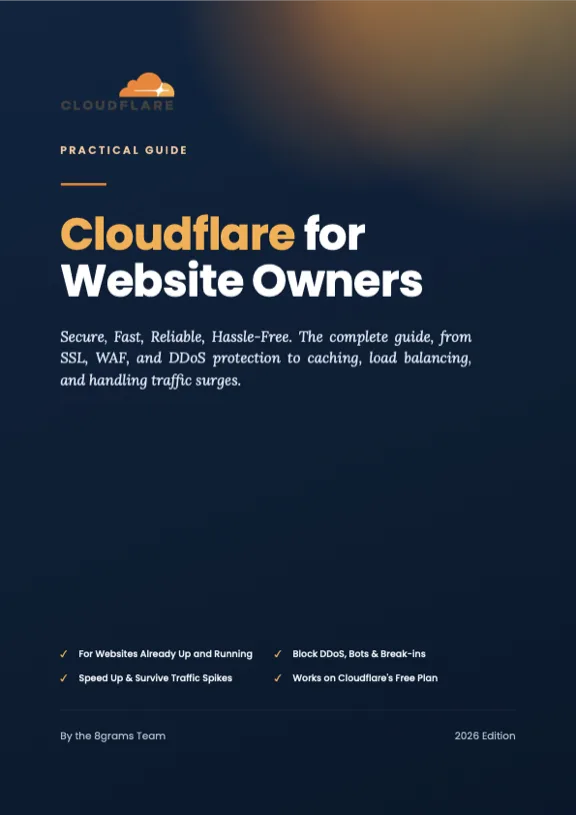
The ebook Cloudflare for Website Owners shows you how to block them before they ever reach WordPress, with no extra plugin, mostly on Cloudflare's free plan.
The Bots Already Know Where Your wp-login Is.
*step by step with dashboard screenshots, includes a full WordPress case-study chapter
Every WordPress owner knows the routine. The comments fill with spam, the logs fill with failed login attempts, and the usual advice is always the same: install another security plugin. So the plugin stack grows, the site gets slower, and the attacks still reach your server first. WordPress powers a huge share of the web, which is exactly why automated scripts probe wp-login and xmlrpc on every site they find, including the small ones.
What Your WordPress Site Absorbs Every Day
Live Threat Feed
Every one of these is being fired at WordPress sites like yours right now.
- Brute-Force on wp-login
- Comment & Form Spam
- xmlrpc.php Abuse
- Plugin Vulnerability Scans
- Fake User Registrations
- Content Scraper Bots
- DDoS Floods
- Admin Page Break-Ins
The ebook shows you exactly where to flip the Cloudflare switch that stops each one at the edge, before it touches WordPress.
Another Plugin, or a Shield in Front?
One more security plugin
- ✕Runs inside WordPress, on your server
- ✕Every attack reaches your site first, then gets filtered
- ✕Adds PHP load to pages that are already slow
- ✕One more thing to update, configure, and worry about
Cloudflare in front of your site
- ✓Sits between the internet and your server
- ✓Blocks attacks before WordPress ever sees them
- ✓Zero load added to your site, and the CDN makes it faster
- ✓Set up once in the dashboard, no code, no plugin
The book walks you through the shield, switch by switch.
Now the Good News
Every attack on that board has an off switch. The defenses below are included in Cloudflare's free plan, and the ebook walks you to each one, click by click, with dashboard screenshots.
- WAF Managed RulesetFREE
- Rate Limiting for wp-loginFREE
- Bot Fight ModeFREE
- Turnstile (Form Spam Blocker)FREE
- Zero Trust Lock on /wp-adminFREE
- Unmetered DDoS ProtectionFREE
You set it up once. Cloudflare absorbs the attacks for $0 a month.
Protect my WordPress site now ↓What Do You Get?
- ✓22 chapters in 6 parts: from security foundations, SSL, WAF, and anti-DDoS to caching, load balancing, and incident response
- ✓A full case-study chapter on securing WordPress end to end: wp-login, xmlrpc, admin access, and caching that plays nicely with WordPress
- ✓Every feature explained with what it does, how it works, when to use it, and its limitations, including the security work that stays on the WordPress side
- ✓Cloudflare dashboard screenshots at the key steps, just follow along top to bottom
- ✓A complete hardening checklist plus a response playbook for when your website is under attack
- ✓Most of the setup works on Cloudflare's free plan, paid features are always clearly flagged
Written by People Who Do This for a Living
This ebook is not theory. 8grams is a DevOps & security consultancy, and the same Cloudflare playbook in these pages protects real client websites that get hit by heavy traffic and attacks every single day.
Scalev scalev.id
SaaS · Landing Page Builder
A high-traffic platform where thousands of Indonesian online sellers run their storefronts. Every page it serves is a target: DDoS floods, scraper bots, break-in attempts. Cloudflare sits in front and absorbs the attacks before they ever reach the platform.
Vorme vorme.id
Wellness · Membership Platform
Jakarta's leading Pilates center, with a busy booking and membership platform under constant pressure from bots and automated break-in attempts. Secured behind Cloudflare: SSL, WAF rules, and bot filtering keep registrations and bookings running.
The exact settings we use for clients are the settings in this book.
$50 $20 one-time · launch price
Instant Digital Delivery
- ✓PDF in your inbox the moment payment completes
- ✓Pay by card, Apple Pay, or Google Pay
- ✓Secure checkout powered by Polar
Prefer Gumroad? Buy on Gumroad
Not sure yet? Grab the free preview first
WordPress FAQ
Do I need to remove my security plugin?
That is your call, and the book helps you make it honestly. Cloudflare stops attacks at the edge, before they reach your server, which covers most of what security plugins fight all day. Some hardening work still lives on the WordPress side, and the book spells out exactly which parts, so you can decide what to keep.
Will it conflict with my caching plugin?
No, and this is a common worry. Cloudflare's cache and a WordPress caching plugin work at different layers. The WordPress case-study chapter covers a caching setup that plays nicely with WordPress, including what is safe to cache and what never should be.
How does the book protect wp-admin and wp-login?
In layers: rate limiting slows brute-force attempts on the login page, the WAF filters known attack patterns, and Cloudflare Zero Trust puts an identity check in front of wp-admin, so only you can even see the login form. Each layer is a chapter with dashboard screenshots.
I'm not a technical person. Can I follow it?
Yes. The ebook is written for website owners, and every concept and setting is explained from the ground up with dashboard screenshots. If you can log in to your WordPress dashboard, you have all the background you need.
Do I need a paid Cloudflare plan?
Most of the setup in this ebook works on Cloudflare's free plan, including the WAF managed ruleset, rate limiting for your login page, bot filtering, and Turnstile for your forms. A few advanced features are paid, and the book always flags clearly which is which.
What exactly do I get for $20?
The complete PDF ebook, 22 chapters in 6 parts, on securing, speeding up, and keeping your website reliable with Cloudflare, including the full WordPress case study, in your inbox the moment you pay.
My site is not on WordPress. Is the book still useful?
Yes. Cloudflare sits in front of your website, so everything in the book applies to any platform. WordPress gets a dedicated case-study chapter on top of the platform-agnostic material.
Disclaimer
We do not promise a website that is immune to every attack. This ebook is a configuration guide, and results depend on how you apply it to your own website. Cloudflare's free plan covers most of the material; some advanced features are paid directly to Cloudflare, and their pricing and terms can change at any time (check Cloudflare's official website). Cloudflare is a trademark of Cloudflare, Inc. WordPress is a trademark of the WordPress Foundation. This ebook and page are produced by 8grams and are not affiliated with Cloudflare, Inc. or the WordPress Foundation.